Write your own code
Nowa is real Flutter, so you can write your own widgets (pieces of UI), functions (pieces of logic you can call) and classes (your own kinds of data, such as a product) and use them next to everything Nowa builds. Nowa reads your code, so you can drop your widgets on the board and call your functions from logic. Your code can do anything Dart and Flutter can: the board draws most of it, and Run runs all of it. Earlier docs and release notes call this the Hybrid approach.
Add your own code
Put your Dart in files under lib/, the folder that holds your app's code. Nowa reads every Dart file there, in a file of its own or next to code Nowa wrote. You have four ways to add code:
- Write it in code mode. Open a file, add your code and save with Ctrl/Cmd + S. To start a new file, create a widget with New Widget... (Manage project files) and rewrite it.
- Write it in your own editor. In a local project, save a file in VS Code and Nowa picks it up.
- Import it. Paste or load code with Import Dart code.
- Ask Nowa AI. It writes into the same files.
Here's a widget and a function you could add:
import 'package:flutter/material.dart';

class StarRating extends StatelessWidget {
  const StarRating({super.key, required this.stars});

  final int stars;

  @override
  Widget build(BuildContext context) {
    return Row(
      children: [
        for (var i = 0; i < 5; i++)
          Icon(i < stars ? Icons.star : Icons.star_border),
      ],
    );
  }
}

String readingTime(String article) {
  final words = article.split(' ').length;
  return '${(words / 200).ceil()} min read';
}
Nowa keeps code you write exactly as you wrote it, until you change that declaration visually. See how code and design stay in sync.
Use your code in the visual editor
| Your code | Where it shows up |
|---|---|
| A widget | In the Library under Project. Press Ctrl/Cmd + K and type its name, or open the Library from the sidebar. Drag it onto a screen like any component. |
| A function | In Circuit, in the All nodes for this circuit menu. A function outside any class, for example in a file of its own, is under PACKAGE: followed by your package name, such as PACKAGE:MY_APP. A function you add inside a screen or component is under LOCALS when you build that screen's logic. Drop the node in and fill in its parameters. |
| A class | As a type for variables, parameters and return values. Select type lists it when you search for its name or click show more... (Store data in variables). To make an object of it in Circuit, choose GENERAL → Create... and pick the class (Use ready-made actions). |
A widget that Nowa can read opens like any other component, so you can change it on the board too. For a one-off formula, you don't need a function: use a custom expression (Expressions and conditions).
Ideas for your own code
A few things people often write themselves, and how they fit in:
- A widget around a package. Wrap a widget from a pub.dev package, such as a map from
flutter_map, in a widget of your own with the settings you need, then drop it on any screen. On the board it shows as a placeholder unless Nowa has built-in support for the package; Run shows the real thing. (For Google Maps, Nowa has a built-in integration: Add Google Maps.) - A function that does the math. Write a function that, for example, uses the
geolocatorpackage to work out the distance between two places, then call it from Circuit where you need it. The board gives a stand-in value for package functions it doesn't support; Run shows the real distance. - A class with its own logic. Give a class fields and a method, then create objects of it in Circuit and show the result in your UI:
class Product {
  Product({required this.name, required this.price});

  final String name;
  final double price;

  String formattedPrice() => '\$${price.toStringAsFixed(2)}';
}
Preview a widget in several states
Flutter's @Preview annotation marks a function, a static method or a constructor that builds a widget in one particular state. Nowa reads each one as a variant of the widget it builds, so you can see the states together.
import 'package:flutter/material.dart';
import 'package:flutter/widget_previews.dart';

@Preview(name: 'Five stars', group: 'Ratings', size: Size(220, 48))
Widget fiveStars() => const StarRating(stars: 5);
A variant's name is its name: argument or, without one, its function's name in Title Case, such as Five Stars for fiveStars. Nowa reads group: and size: too.
- Opened on its own. Open the screen or component by itself, for example by double-clicking it in the Library. A variant without a
group:appears as its own canvas below it, titled with its name. Variants with the samegroup:stack in one column, headed by the group's name. - On a variant's title. Hover it for Play, Open in new tab and Add to board. Add to board asks which board and puts the variant there. If the package has no boards, Nowa says "This package has no boards yet".
- In the Library. Variants are rows under their widget. Insert one to place that state on the board, at its
size:if the@Previewsets one.
Nowa also reads previews from Dart files in a design/ folder at the top of your project (or of a package, in a workspace), when the file mentions the widget by name and has a @Preview.
Control what the board shows for a function
The board runs your functions itself. When you don't want that, mark a function with @CustomFunction from package:nowa_runtime/nowa_runtime.dart. Nowa then never runs it on the board. It returns the preview instead, which is a Dart expression written as text.
import 'package:nowa_runtime/nowa_runtime.dart';

@CustomFunction(preview: '"3 min read"')
String readingTime(String article) {
  final words = article.split(' ').length;
  return '${(words / 200).ceil()} min read';
}
Without a preview, the board writes "calling: readingTime" to Logs and returns a stand-in value, such as [...] for text, 0 for a number or false for a true/false value. preview works on top-level functions. In Run, the real function runs.
You can also put @CustomFunction on a method inside a class, including a screen or component that Nowa made. Nowa then keeps that method as code and doesn't run it on the board. preview is ignored there, so the board logs the call and uses a stand-in value, or a placeholder if the method returns a widget. Use it for a method the board shouldn't run, such as one that talks to a device feature.
Import Dart code
Use this to bring in a function, a widget or a class you wrote somewhere else.
- If you're in code mode, click Back. Code mode has the Files tree, not the Library.
- In the Library, click Add (+) and choose Import Dart code....
- Paste your code into the editor, or click From file and pick a
.dartfile. - Click Import or Import as Custom code.
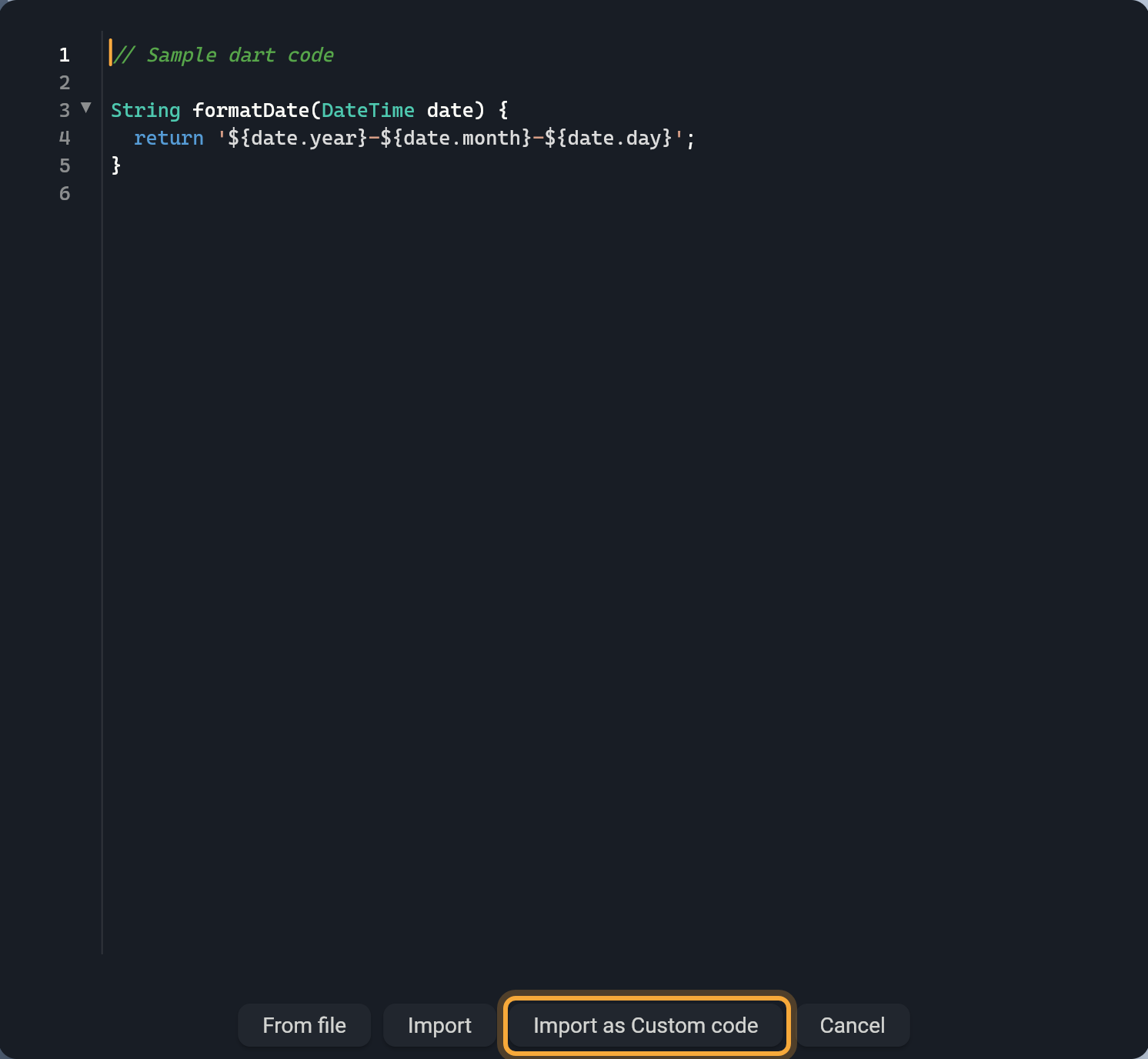
| Button | What it does |
|---|---|
| Import | Nowa reads the code and takes it over as if it had written it, so you can edit it visually. If you face problems, use Import as Custom code. |
| Import as Custom code | Nowa keeps the code exactly as written and never runs it on the board. A widget shows as a placeholder, and functions log "calling: <name>" and return stand-in values. |
Nowa sorts what you import by kind. Screens go to lib/pages/, other widgets to lib/components/, classes with toJson or fromJson to lib/models/, global state classes (a ChangeNotifier) to lib/globals/, and functions to lib/functions/. Other classes and enums go to lib/. Each file is named after its declaration. If a board is open, new screens are placed on it.
Import replaces any declaration in your project that has the same name. Check the names first. A main function can't be imported.
Check the real result
The board draws your code by reading it, so a few things look different or show as small placeholders, and Dart that Nowa can't read yet is skipped and listed in Problems. Click Run to compile and run everything, including your own code and packages. See Run your app and What Nowa can show on the board.
Try "Write a StarRating widget that shows 1 to 5 stars and add it under the product title." Nowa AI writes the code into your project. Read or change it in code mode.
Next steps
- Add packages: bring in ready-made building blocks for your code.
- What Nowa can show on the board: see which Dart features the board draws.
- Use Nowa with VS Code: write your code in your own editor.
- Edit code in Nowa: make a quick change without leaving Nowa.