Create your account
Your account is where your projects and Nowa AI live. Signing up is quick: use an email and password, Google, or Apple, and you can start building right after. Want to look around first? Try Nowa without an account, and save what you build once you sign up.
Sign up with email
-
Go to app.nowa.dev/signup.
-
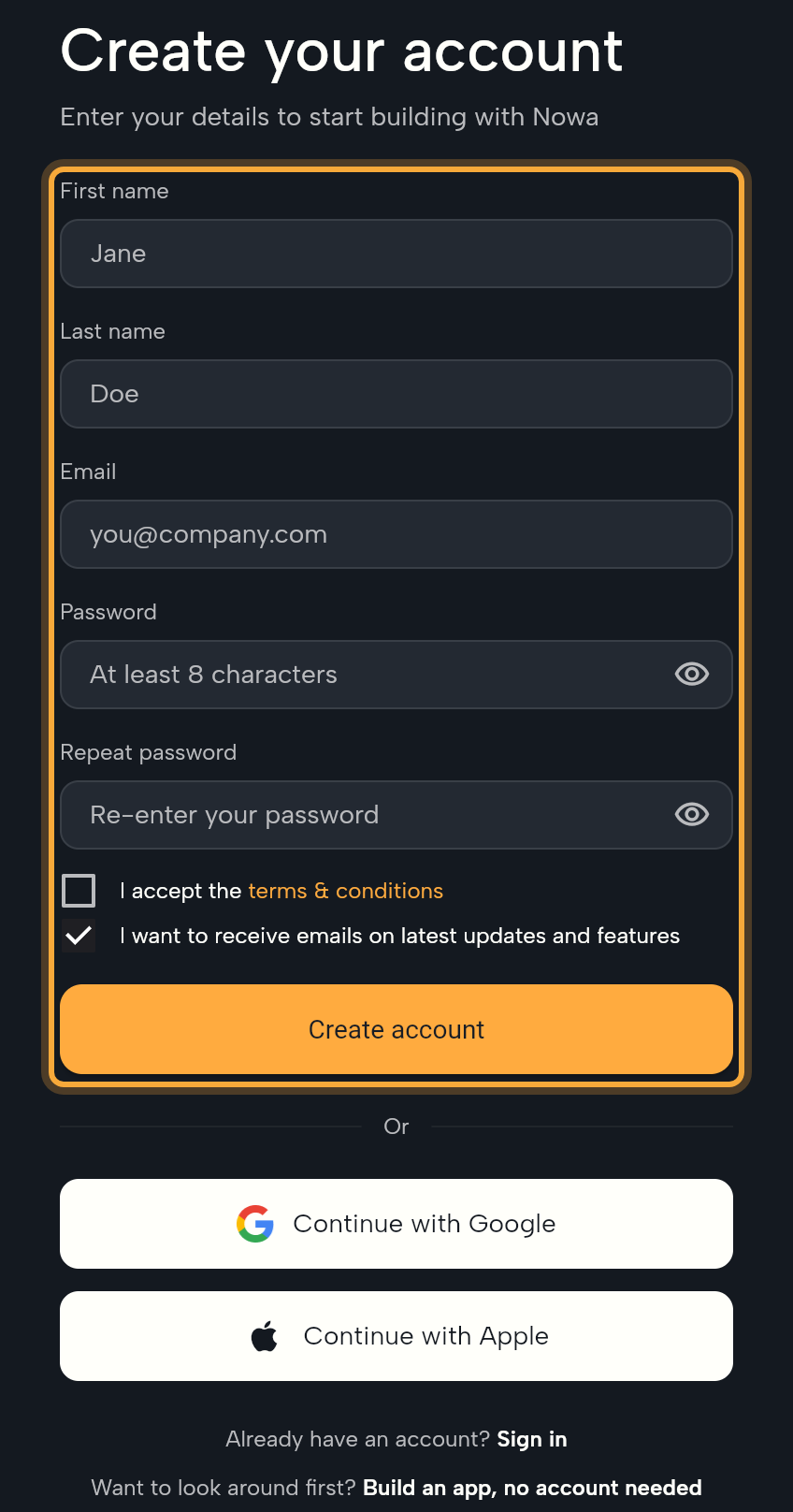
Fill in First name, Last name, Email, Password (at least 8 characters) and Repeat password.
-
Tick I accept the terms & conditions. The box below it, I want to receive emails on latest updates and features, is ticked by default. Untick it if you don't want those emails.
The terms & conditions link opens Nowa's Terms and Conditions. How Nowa handles your personal information is in the Privacy Policy, and Your data and privacy sums up both.
-
Click Create account. The Confirm your email step opens.
-
Type the 6-digit code Nowa sent to your email into the six boxes. This confirms the address is yours. Nowa checks the code when you enter the last digit, or you can click Verify.
You should see: the dashboard with What do you want to build? New accounts first answer four short questions (see Answer the four questions).
If the form won't submit, the message under the field or in the banner below the form tells you why. Passwords need at least 8 characters, both password fields must match, and the terms box must be ticked. If no code arrives after a few minutes, check your spam folder, then click Resend the code. The link changes to Sent!
Sign up with Google
No new password to remember: your Google account signs you in.
- On the sign-up or sign-in page, click Continue with Google and pick your Google account.
- The first time, Nowa shows Complete your account. Check First name and Last name (Nowa fills them in from Google), tick the terms box, and click Create account.
Sign up with Apple
Click Continue with Apple and approve in Apple's window. It's available in the web app, including in your phone's browser, but not in the desktop app. If you use the desktop app, sign in there with your email and password or with Google.
Sign in
- Go to app.nowa.dev. Signed out, you see Welcome back!
- Enter Email and Password, then click Log In. Or click Continue with Google or Continue with Apple.
- If you haven't confirmed your email yet, Confirm your email appears. Enter the 6-digit code.
If you opened a link that needs an account, such as a link to a project a teammate sent you, Nowa takes you there after you sign in.
Reset your password
- On the sign-in page, click Forgot Password?
- Enter your email and click Send reset link. Nowa shows Check your email.
- Open the link in the email.
- Enter New password and Repeat new password (at least 8 characters), then click Reset password.
- When you see Password changed, go back to the sign-in page and log in with the new password.
If the page says Invalid link, the reset link is incomplete or has expired. No problem: request a new one from the sign-in page.
Answer the four questions
Before you reach the dashboard for the first time, Nowa asks four short questions: what you want to build first, what best describes you, whether you've used another app builder, and where you heard about Nowa. You answer them once, and you can't skip them, but most take a single click.
The questions are labeled Question 1 of 4 and so on. Click an answer and Nowa moves on. Other on the second question and Yes on the third also ask for a few words: type them and click Continue. Use Back to change an earlier answer.
Log out
Click the logout icon next to your name at the bottom of the dashboard sidebar. Inside a project, click your avatar in the top bar and choose Logout. Your cloud projects stay in your account, ready for the next time you sign in.
Next steps
- Build your first app: describe an app and run it.
- The welcome tour: what Welcome to Nowa! shows the first time you open a project.
- Account settings: change your name, email or password, and connect Figma.