Download your code
Everything you build in Nowa, with Nowa AI or visually, is real Flutter code, and that code belongs to you. Download it as a zip to keep a backup, or to hand your app to a developer who wants to work on it in their own tools.
Cloud projectsDownload the zip
- Switch to code mode: click the
<>button in the top bar. - In the tab bar, click the download icon (Code download).
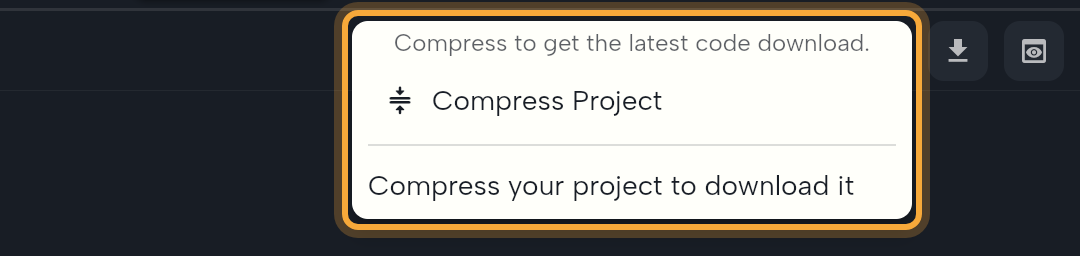
- Click Compress Project. Nowa saves your project and packs all of it into one zip file. Compressing... shows while it works.
- Click the zip file that appears in the list. It shows the file name and when it was created.
In the web app, your browser downloads the file. In the desktop app, a Save project dialog asks where to keep it. Nowa then opens that folder and shows "Project downloaded successfully to" followed by the file's path.
In the web app, the zip's row keeps spinning after your download starts, and you can't click it again. The download itself works. To download once more, close the popup and open it again.
The list always holds the last zip you compressed, so compress again after you change your project. Until you compress once, the popup says "Compress your project to download it".
Your plan and code downloads
Your plan includes an allowance for code downloads. When it's used up, Compress Project shows Time to level up with the message "Looks like you used all your available usage for this feature" and an Upgrade button. See Plans, billing and AI usage. The check happens when you compress, not when you download a zip you already made.
Use the downloaded code
You don't need to open the zip yourself. It's the complete project, the copy you keep as a backup or send to a developer. Someone who works with code unzips it and opens the folder in an editor such as VS Code or Android Studio. To run it on a computer, they install Flutter first. See Flutter's install guide.
Local projects
A local project already lives in a folder on your computer, so there's nothing to download. In code mode, the button in the same spot is Open in VS Code. See Work with local projects.
Prefer to keep your code in sync instead of downloading it? Push it to GitHub with Use Git, which needs a plan with Git integration, or work in a local project.
Next steps
- Nowa and your Flutter code: how the code and the design stay in sync.
- Edit code in Nowa: the code editor, tabs and preview pane.
- Publish to the web: download the built web files instead.