Nowa 3.16.1: Introducing Play-While-Edit
With Nowa 3.16.1, you can use your app and change it at the same time. 🚀 Meet Play-While-Edit: your app plays right inside the editor with no build and no waiting, and you see your changes in it as you make them.
▶️ Play-While-Edit: play and edit your app at once
Your app plays right where your board was, so you can test a flow, spot what's off and fix it, all without leaving your running app.
Play your app instantly
Click the arrow next to Run and choose Instant play. Your app starts in a second, with nothing to build, so you can tap through your screens, fill in your forms and check every flow the way your users will. In the playground and in templates, just click Run.
- Check every screen size: switch between Phone, Tablet, Desktop and Full screen in the top bar.
- Start fresh: click Start over to run your app from the beginning, as if you had just opened it.
- Try one screen on its own: click the screen's name next to the size, and pick the screen you want to play.
- Hop back to your board with the back arrow in the top bar. Forward takes you right back to your app.
Fix what you see, while it plays
Spotted something that's off? Click Select in the top bar, or press V, and click it in your running app. Nowa outlines it just like on your board. Open Details beside your app to change its text, color or spacing, and watch your app update as you type. Hold Shift to pick a few things at once, and press Esc to go back to using your app.
Nowa AI sees what you pick, too. Select a button, ask the Assistant to "make this button bigger", and it knows exactly which button you mean.
💬 Get feedback right on your app
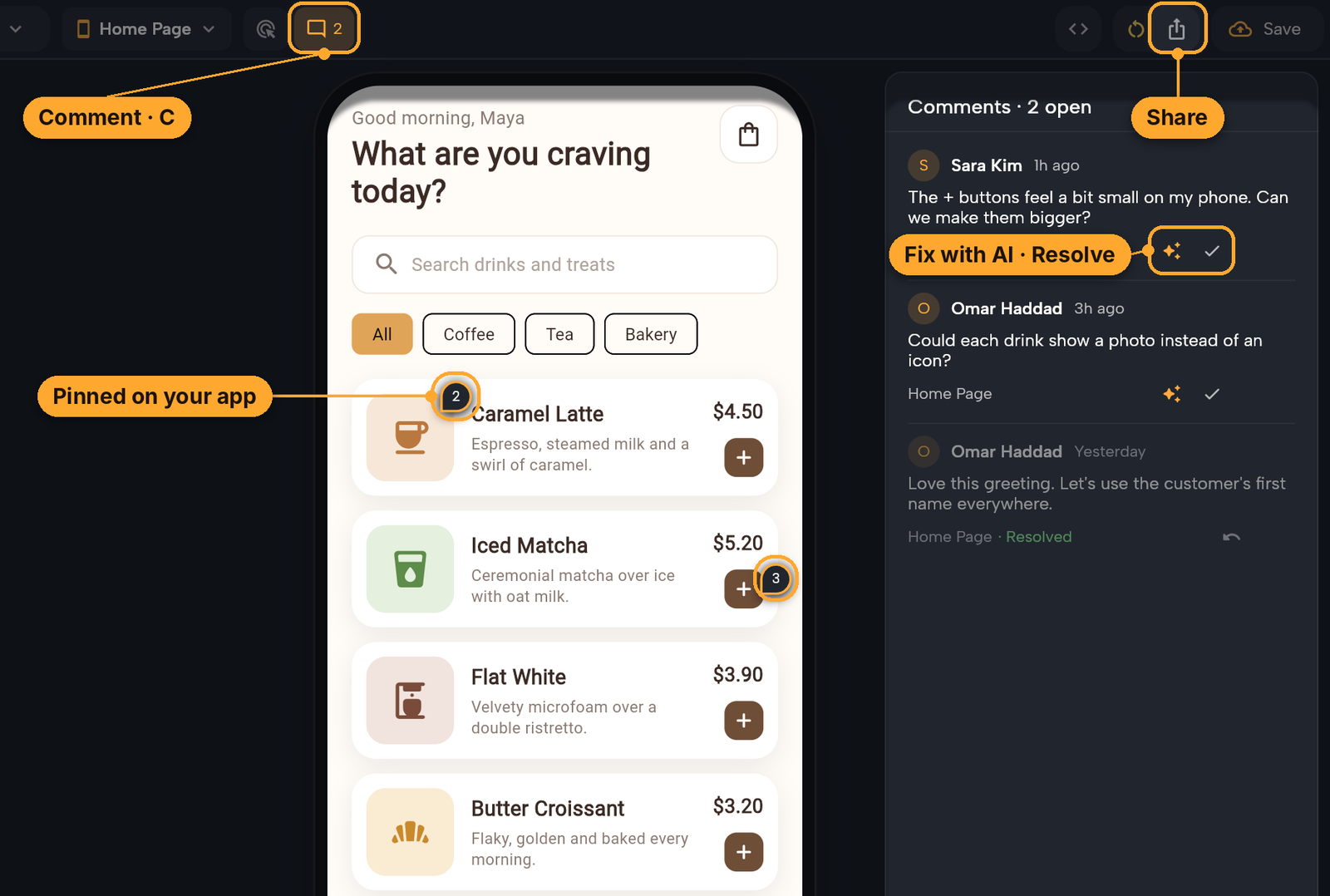
Click Comment, or press C, then click anywhere on your app to leave a note exactly where it belongs. For a second opinion, click Share to copy a link to your app. The people on your project can open it in their browser, try your app and add their own comments, and if your project is public, anyone with the link can try it.
Every comment stays in your project, so nothing gets lost in chats or emails. Resolve a comment once it's handled, or click Fix with AI and let Nowa AI make the change it asks for.
🗂️ All your data in one panel
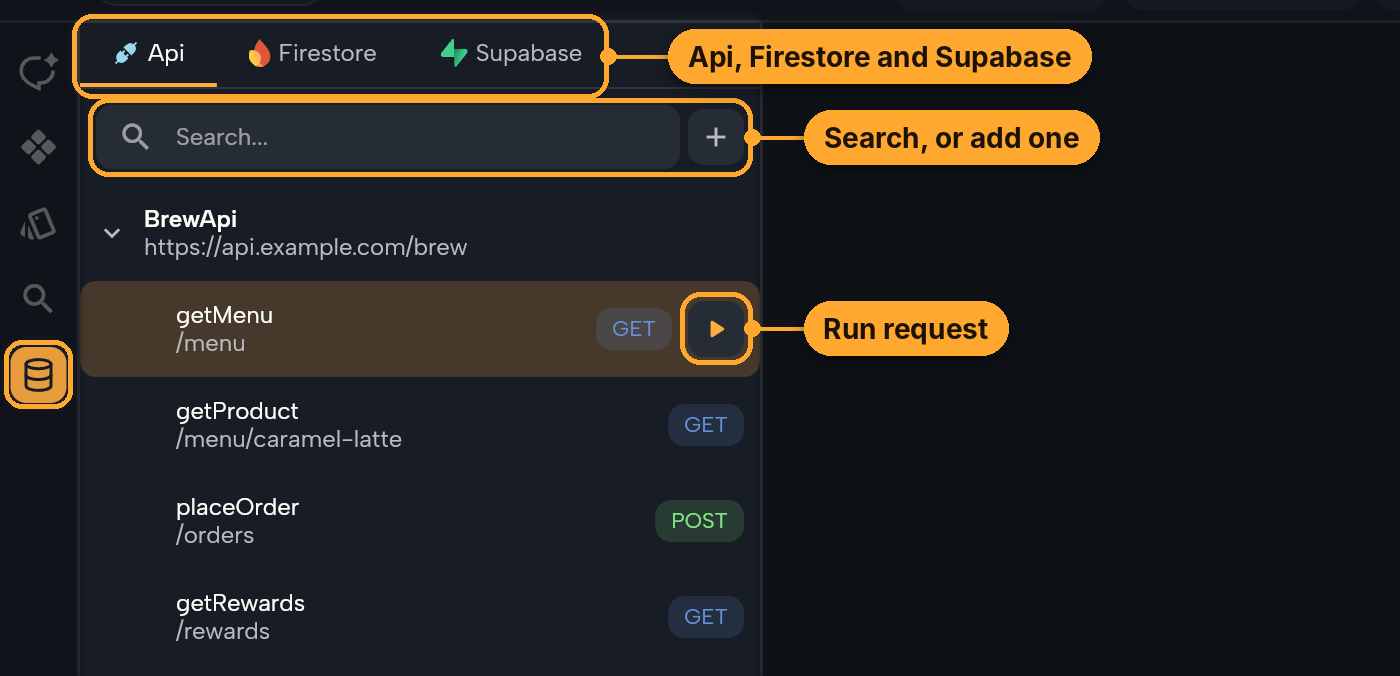
Api, Firestore and Supabase now live together in the new Data panel in the left sidebar, one tab each, and it opens on the tab you used last. Every tab works the same way: search to find what you need, connect right from the tab when something isn't connected yet, and point at an API request or a Supabase query or function to run it straight from the list.
🧭 Help, right where you look for it
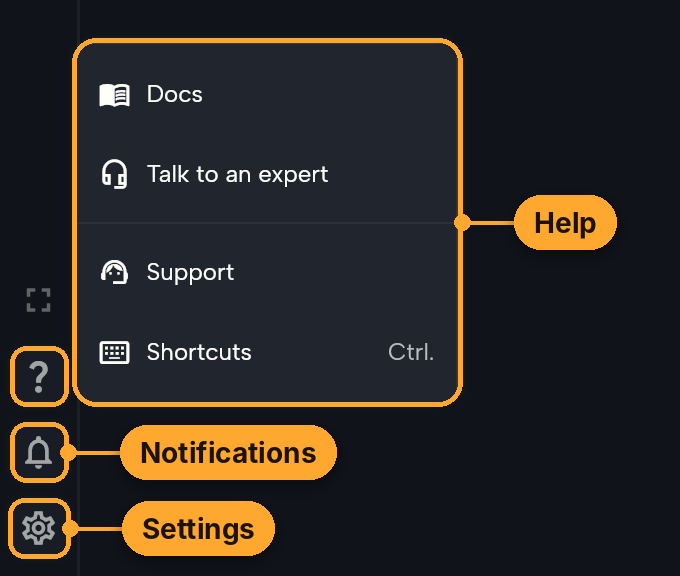
Help, your notifications and your account now sit together at the bottom of the left sidebar. Click ? to read the docs, message our support team, look up a keyboard shortcut or book a call with a Nowa expert. Your project settings live down there too, and they open in a popup, so you never lose your place.
Looking for the Router? Select a screen and click the route icon (Open Router Editor) under Route Settings in its Details.
🤖 Nowa AI does more with your credits
- Longer chats for fewer credits: Nowa AI now reads your project's overview, and any large screen or component you attach, only when your request needs it, instead of carrying it in every message. Long chats on big projects use noticeably fewer credits.
- Your theme stays yours: when you design with Nowa AI in an app you imported, it styles your screens with your app's own theme instead of adding a new one.
- Packages without the extra step: ask Nowa AI to add a package and it adds it, with no experimental setting to turn on first.
That's the big stuff! 📋 For every fix and smaller improvement in this release, see the 3.16.1 changelog.
➡️ We'd love to hear how Play-While-Edit works for you. Click ? at the bottom of the left sidebar and choose Support to message us, or email us at team@nowa.dev. Happy building!