Push Notifications (FCM)
In this tutorial we show you how to integrate push notification in your app.
What is Firebase Cloud Messaging (FCM)?
Firebase Cloud Messaging (FCM) helps your app stay connected with users by sending them friendly updates, reminders, or alerts — even when they’re not using the app. It’s a simple way to keep users informed and engaged across all their devices.
How to enable FCM in your app?
Click Settings, Firebase, and enable Push Notifications.
If your app is being built for iOS, you need to enable the Push Notifications capability in Xcode by going to your project’s Signing & Capabilities tab and adding Push Notifications.
Rebuild your app
Your app needs to be rebuilt for iOS and Android to include the new FCM settings. This update will allow push notifications to work properly on both platforms.
To learn how to rebuild to IOS, click here.
To learn how to rebuild to Android, click here.
Test your app' push notification
Now just add a message title, content, select the audience, choose if you want a notification sound, and click Send.
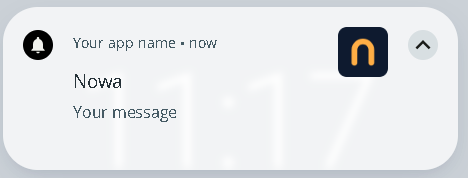
How a notification looks:
Notifications can look a little different depending on your device. Here’s two example!
IOS:

Android: